

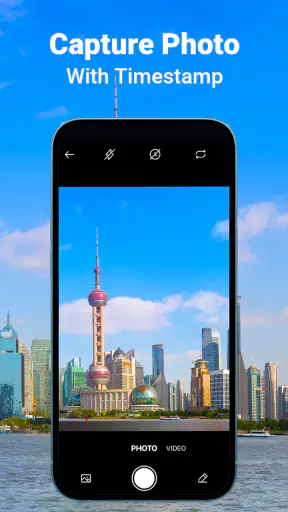
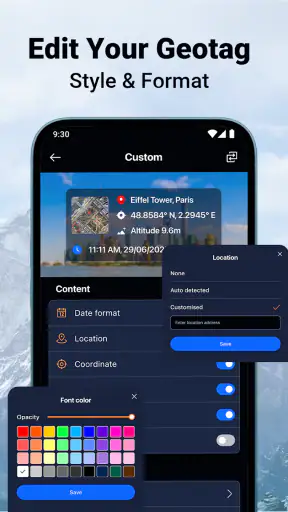
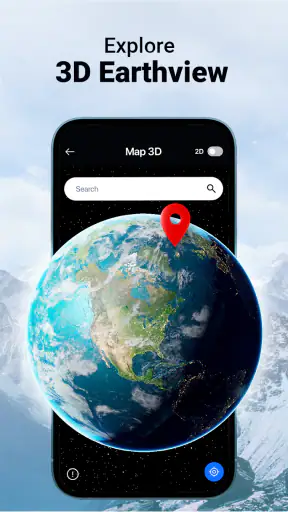
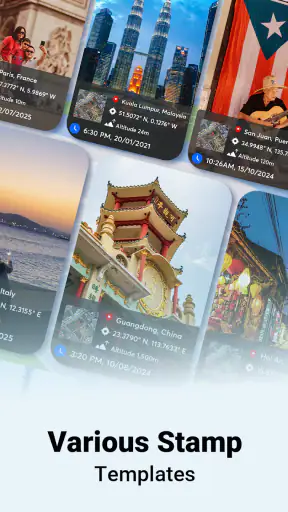
I tried MeShot: GPS Camera & Geo Stamp as a practical photography tool rather than as a general camera replacement. Its purpose is clear: it helps place time and location information directly on photos, which can be useful when the image itself needs context later. That makes it more than a simple filter app, but less of an all-purpose editing suite.
The app comes from HAWKS Technologies and sits in the Photography category. It is free to install, aimed at Everyone, and its current version is 1.2.2. The free entry point matters here because the basic question is not whether it can replace a professional camera, but whether adding location and timestamp information is useful enough to justify keeping a dedicated tool on your phone.
My experience using MeShot for location-aware photos
What MeShot is really for
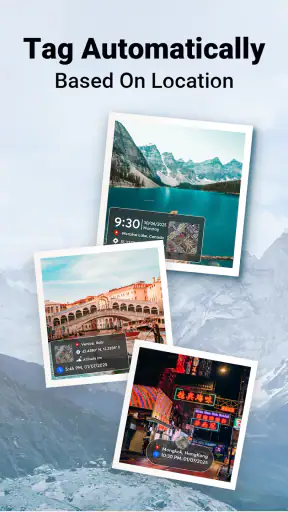
The strongest use case is documentation. A regular phone photo can show what happened, but a photo with a visible date, time, and place can be easier to understand when it is shared with someone who was not there. I can see the appeal for travel memories, property visits, outdoor activities, field notes, delivery records, and personal before-and-after documentation.
The idea is especially helpful when photos are viewed outside the original gallery. A camera roll may already preserve capture details, but those details are often hidden behind menus or lost when an image is exported, printed, or sent through a service that strips metadata. A visible stamp keeps the context attached to the picture itself. That is the app’s practical advantage: it turns background photo information into something immediately readable.
I would not treat it as a replacement for the camera app that comes with an Android phone or iPhone. The normal camera is usually the better choice for speed, portrait work, night scenes, and casual snapshots. MeShot makes more sense when the stamp is part of the reason for taking the picture, not when it is merely an occasional decoration.
Cost and what the free starting point means
MeShot is free to download, while in-app purchases range from $3.99 to $29.99 per item. That gives a user a low-risk way to test whether stamped photos fit their routine before spending anything. I like that approach for this kind of focused utility because the need is highly personal: some people will use it every day, while others will quickly decide that ordinary camera metadata is enough.
The purchase range also means I would avoid assuming that every option is included at no cost. Before paying, I would first take several sample photos, check how the stamp looks at the size I normally share, and decide whether the free experience already covers my purpose. If the app becomes part of a work process, the higher end of the purchase range deserves more scrutiny than it would for occasional holiday photos.
In other words, the free access is valuable mainly as a trial and as a possible permanent solution for light users. Paid value depends on how often I need the app and whether the additional purchase options solve a real problem for me. I would not buy anything simply to unlock a more elaborate-looking stamp unless I had a clear reason to use it.
How the stamp changes everyday photography
A realistic example would be photographing a rental property before moving in. I could capture each room, include the location and time on the image, and later send the pictures to a landlord or keep them with my own records. The visible context would make the collection easier to review without opening each file’s details. The same workflow could help with a damaged package, a campsite, a hiking route, or a renovation project.
There is also a useful distinction between a memory photo and an evidence-style photo. For a holiday album, a subtle location mark may add character. For a maintenance record, a readable timestamp matters more than visual elegance. I would decide the purpose before taking the picture, because a stamp that looks helpful on a work record can feel distracting across a portrait or scenic shot.
One practical tip is to photograph a test subject with both MeShot and the regular camera before committing to a full set. Compare framing, readability, and the way the image looks when viewed on another screen. This avoids discovering later that a stamp covers an important corner of a document, sign, face, or object.
Useful habits for better results
For location-based memories, I would take the photo only after checking that the displayed place is sensible. A location stamp is valuable precisely because people trust what they see, so a weak or outdated position can make an otherwise good record confusing. I would also avoid placing important visual details near the area where the stamp appears.
For a sequence of photos, consistency is more important than decoration. Use the same framing and keep the stamp style stable from the first image to the last. A set of property photos or travel images looks much easier to follow when the information occupies a predictable position. This is a small workflow improvement, but it makes the app more useful than simply adding a label to isolated pictures.
Another worthwhile habit is separating stamped originals from clean copies when the image matters creatively. I would keep an unstamped version for a personal album or later editing, then use the marked version for documentation. That gives me flexibility instead of forcing one image to serve two different purposes. It is also a good reason not to delete the original camera files immediately after using the app.
Where it compares well with ordinary alternatives
The usual alternative is the phone’s built-in camera combined with gallery information. That approach is faster and generally better for photography itself, but the date and place may remain hidden in file details. MeShot’s reason for existing is to make those details visible in the picture, which is more convenient when sharing or printing matters.
Another alternative is adding text later in an editor. That can offer more control over design, but it adds a separate step and makes it easier to forget the exact location or time. A dedicated GPS camera workflow is more direct when the information should be captured alongside the image rather than reconstructed afterward.
On the other hand, a general photo editor is the better choice if I want layers, retouching, color correction, typography, or a carefully designed travel collage. MeShot is focused. That focus is its strength for records and quick context, but it also limits its appeal for anyone expecting a complete creative toolkit.
Trade-offs I noticed before recommending it
The first trade-off is visual. A timestamp and location overlay can make an image more informative, but it can also reduce its clean, natural appearance. I would be cautious with portraits, food photography, architecture, and anything intended for a polished social post. The app is most convincing when information is part of the image’s purpose.
The second trade-off is workflow dependency. A stamped photo is easy to understand at a glance, but it can become awkward if I later want to crop the image, reuse it in a design, or present it without personal location details. I would think about the audience before sharing. A private travel journal and a public post do not necessarily need the same treatment.
The third trade-off is precision versus convenience. Automatic location context saves time, but I would still review the result when accuracy matters. For casual memories, a broad place label may be perfectly adequate. For a formal record, I would not rely on a visible stamp alone; I would retain the original file and any supporting notes as well.
There is also a privacy consideration in the basic idea of the app. Putting a location on a photo makes that information harder to overlook. That is useful when I want to prove where a picture belongs, but unhelpful when the image is going to a wide audience. I would make a habit of checking every stamped image before sharing it publicly, especially for photos taken at home or in places I visit regularly.
Who is likely to get real value from it
I think MeShot is a good fit for people who repeatedly need visible context on their photos. Travelers may appreciate having places attached directly to memories. Hikers and outdoor users can make a personal record easier to sort. Homeowners, renters, and people managing repairs can create clearer visual notes. Anyone who sends photo-based updates to another person may find the stamp more practical than a separate written explanation.
It is also suitable for users who do not want to learn a complicated editing workflow. The appeal is not artistic control; it is reducing the distance between taking a picture and producing a contextual record. If that describes my routine, the free installation gives me a sensible way to test the fit without committing to a purchase immediately.
I would be less enthusiastic for professional photographers who need maximum control over the original image, or for social-media users who want clean compositions. I would also skip it if I only need to know when and where a photo was taken for my own reference, since the phone’s existing gallery details may already be sufficient. The visible overlay is the point, and without that need the extra camera workflow may feel unnecessary.
Scale, support expectations, and everyday confidence
The app has passed five million installs and holds a 4.1 average from around 2.9 thousand ratings, with 31 written reviews. Those figures suggest that the concept has reached a substantial audience, while the rating feels positive without implying that every user will find it perfect. I read that combination as a reason to try it for a specific task rather than assume it will suit every photography habit.
Its release date is February 10, 2026, and it requires OS version 10 or newer. That requirement should be easy for many recent devices, but anyone using an older phone should check compatibility before planning a workflow around it. The Everyone age rating also makes it approachable for general household use, although the location-sharing implications still call for sensible judgment regardless of age.
HAWKS Technologies has kept the product identity focused on a narrow problem, which I consider a positive when I want a straightforward tool. At the same time, a focused app needs to feel reliable in the moments when documentation matters. I would test it during an ordinary, low-stakes activity first and only then use it for an important inspection, trip archive, or record.
My buy-or-skip verdict
I recommend trying MeShot if you regularly want the time and place printed directly on a photo. Its free entry point makes experimentation easy, and the concept is genuinely useful for travel memories, field notes, property records, and other situations where a picture needs to explain itself. The best results come from treating it as a documentation camera, not as a universal replacement for the phone camera.
I would consider a paid purchase only after confirming that the free experience fits my image quality, sharing habits, and stamp preferences. The available purchase range means there is paid value to weigh, but I would judge it by repeated practical use rather than by the novelty of adding a label. For occasional use, free access may be enough; for a recurring workflow, paying can make more sense if the unlocked value directly supports that routine.
My final view is favorable but specific: MeShot: GPS Camera & Geo Stamp is worth trying when visible location and time are the reason for taking the picture. It is not the right pick for clean creative photography, extensive editing, or users who are satisfied with hidden gallery metadata. Used deliberately, it fills a small but useful gap between an ordinary camera and a manual editing process.


